


Collective Pro
£15
per person/month
£30/month for 2 people
Pro features for each person.
For independent hair, beauty & wellness pros
Let clients book online. Manage your diary, payments and client details in one place.
14 days free. Card required. Cancel before day 15 and pay nothing.
Plans from £9/month inc. VAT. Card processing fees apply.
Take a closer look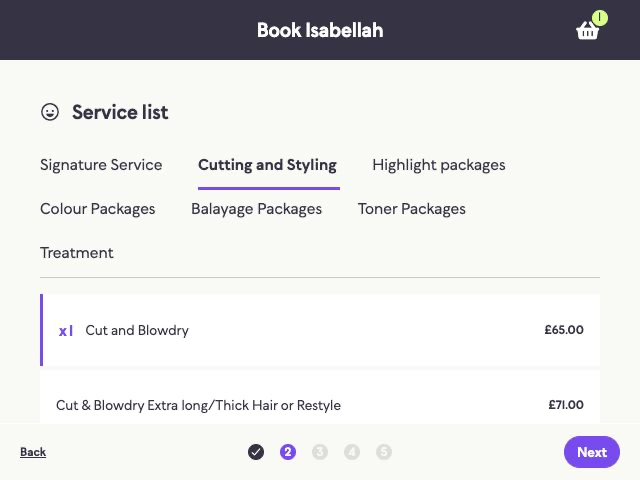
AI Setter
Guide clients to a service and time through chat on your website.
 Find the right serviceChoose a timeContinue to booking
NAILED IT BY JO
Award winning luxury home salon.
AI Receptionist
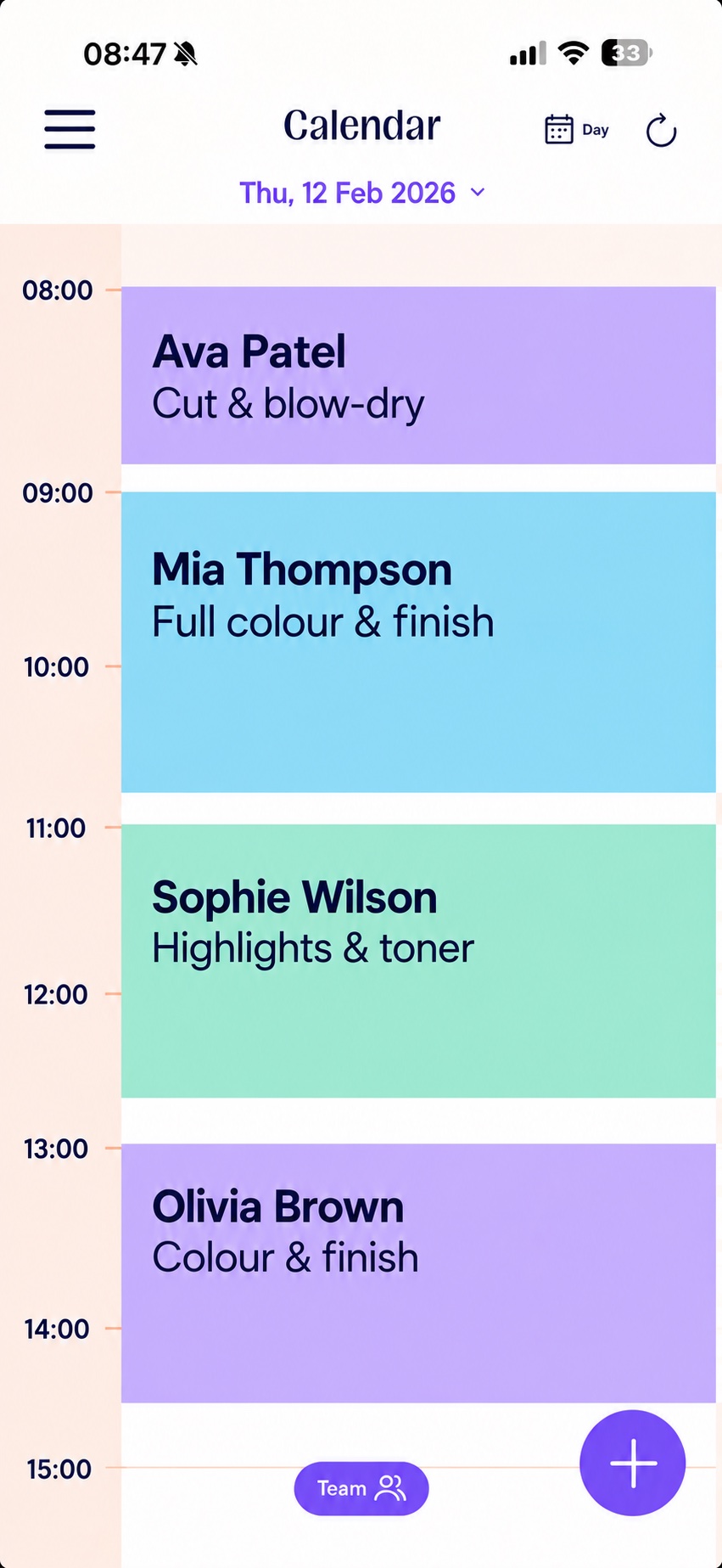
Place bookings and change availability from inside the app.
Add a bookingChange your availabilityAsk JENA
Your in-app AI
Thursday, 22 May
AI Coach
Get a second opinion on pricing, promotions and business ideas.
Explore an ideaThink through pricingPlan a promotion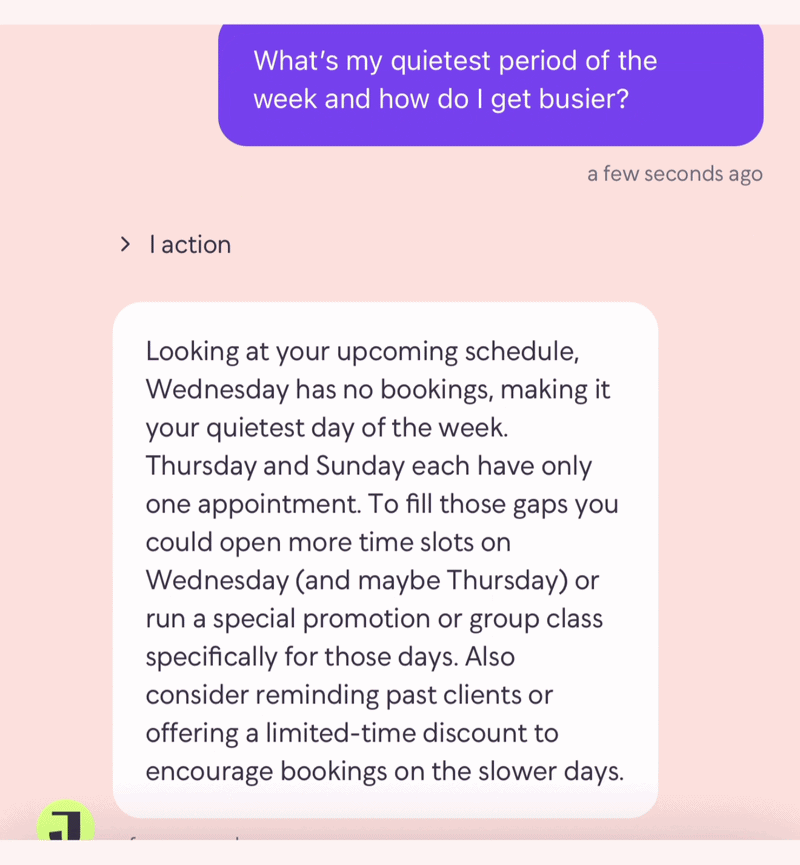
Bring AI into your day with JENA Max. Compare Starter, Pro and Max. Our support team is here to help you get set up.
A customer's experience with JENA AI
“It'll say you've got a gap on Friday for an hour and a half. Why don't you do a luxury pedicure and take 20% off the price?”

Nailed it by Jo · Glasgow
Visit Jo's businessThe details, when you want them
Explore each tool, see it in action and find the details that matter to your business.
01 · Booking & scheduling
Booking essentials on every paid planLet clients book around the hours you choose.
Let clients book onlineAdd and rebook appointmentsSet hours, breaks and buffersColour-coded appointments, configurable booking intervals and bulk availability edits help you organise your week. Choose which services are available on each day and hide services from your booking page when you need to.
Work at different locations on different days. Use gap controls to offer times next to existing appointments. Set cancellation windows for online bookings.
Keep clients in the loop with automatic appointment reminders.
02 · Your website
Pro and MaxYour work, your style. A clear way to book.
Show your workShare services and reviewsUse your own domain
Add your JENA booking link to your existing website. Starter includes a direct booking page. Pro and Max include a branded website and custom domain connection; domain registration and renewal cost extra.
Help local clients find your business with a website built for local search.
03 · Clients & consultation forms
Forms and client portal on Pro and MaxKeep client history and consultation forms together.
Keep client history togetherCreate your own formsSend forms automatically or manuallyGive clients a place to view appointments, cancel and reschedule within your booking rules. Available on Pro and Max.
Create questions for allergies, treatment information or consent. Change the questions and sending rules, or select recipients using Send to Client.
Clients receive a confirmation when they reschedule.
“its given me so much more time on an evening”
04 · Payments & deposits
Payment tools on every paid planGet paid online or in person, on your phone.
Take deposits or full paymentTake payments with Tap to PayTrack and export earningsNo booking commission. Card processing fees apply.
Help reduce no-shows with a fixed or percentage deposit at booking.
Capture your client’s card at booking, with no payment taken upfront.
Take contactless payments straight from your phone with Tap to Pay.
Receive payouts through StripeView and export your earningsIssue full card refunds through StripeAdd a tip to the total or record it separately05 · Reminders & marketing
Email reminders on every paid planSend reminders automatically. Share an update when you choose.
Send booking remindersShare email updatesText selected clientsEmail marketing and SMS reminders on Pro and Max. Marketing texts: 5p each, £1 minimum per campaign.
Choose when appointment reminders are sent. Email reminders are included on every paid plan. SMS appointment reminders are included in Pro and Max.
Marketing texts cost 5p per SMS, with a £1 minimum per blast. Choose your recipients and send an update, promotion or rebooking prompt. Marketing blasts are separate from appointment reminders.
06 · Discount codes
A promotion or a thank-you. You set the terms.
Choose £ or % offSet an expiry dateLimit how often it’s usedA little something for next time.
Use JENA’s discount codes to manage gift vouchers and reward loyal clients. Create your offer, share the code and choose how it’s used.
07 · JENA Collectives
Share calendar access. Give each person Pro or Max tools.
Watch the Collectives walkthrough
£30/month for 2 people
Pro features for each person.
£70/month for 2 people
The full AI suite for each person on Max.
Minimum 2 people, including the organiser, with one business owner paying. Card processing, marketing texts and domain registration cost extra.
Connect your individual JENA subscriptions and keep your businesses independent. Our team can help you choose the setup that fits.
Free migration support included
Your clients and diary matter. Check everything together before you share your new booking link.
We'll explain which files to send and confirm what can transfer.
Transfer scope depends on your export.
Our team helps import the data. Migration support is free.
Review your diary and test the booking journey. We'll help with anything that needs fixing.
Help before and after the move. Starting fresh? We'll help you set up your services, hours and booking link.
14 days free. Card required. No payment until day 15.
We'll confirm the timing once we've checked your files.
Your business. Your next step.
Explore the tools and get help setting up.
14 days free. Card required. Cancel before day 15 and pay nothing.
Plans from £9/month inc. VAT. Card processing fees apply.